


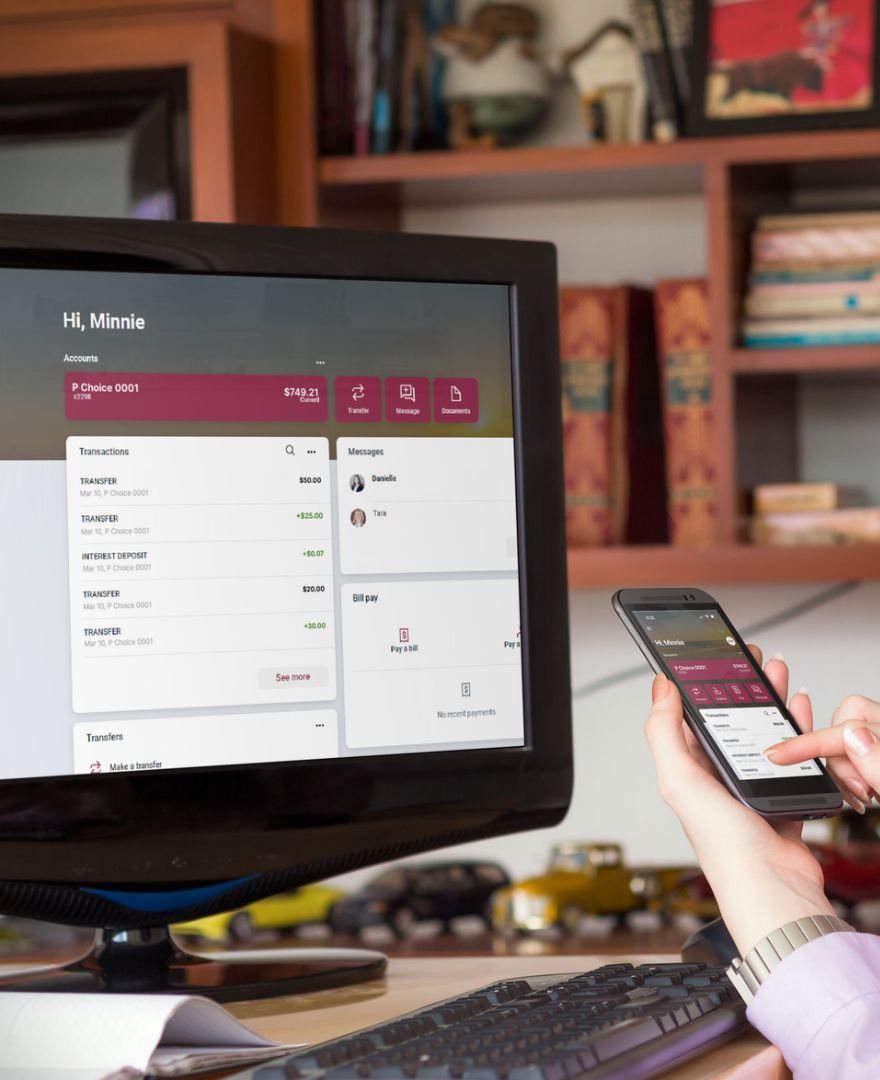
Peoples Bank offers Business Banking Solutions through our Digital Banking platform (Online & Mobile Banking). Digital Banking can make managing your funds easy so you can spend less time monitoring your cash flow, transferring funds, and paying your bills while you make more informed financial decisions. You can improve your cash flow management with secure banking services that are always at your fingertips, wherever you run your business.

Why Digital Banking Has Become Essential for Business Owners
A March survey by Small Business Expo of small business owners found that 46.5% said they needed more time to run their businesses. This surpassed all other categories of business needs such as lower costs (29%) and better technology (18.3%). Digital Banking for small businesses can help you do things more efficiently, so you spend less time managing your funds and more time running your business by using tools such as remote check deposits, business bill pay, positive pay, and ACH.
Monitor Cash Flow Anytime, Anywhere
Cash flow management used to involve a great deal of time and stress for many small business owners. Digital Banking for businesses makes it as easy as tapping your fingers.
View Balances & Transactions in Real Time
You’ll never have to wait for a monthly statement to see your balance, because you can check all of your transactions and balances with Digital Banking.
Stay Ahead of Incoming & Outgoing Payments
View all your accounts' transactions at any time with Digital Banking. You won’t have to wonder if a customer’s payment was received or if you have enough in the bank to pay your vendors.

Simplify Everyday Banking Tasks
Business banking used to involve regular trips to a bank location or an ATM, and waiting for paper checks to arrive in the mail. By using Digital Banking, you can conduct most of your business banking needs online and through our Mobile Banking app.
Pay Bills Digitally
Paper checks take time and money to process. They could be stolen and misused or leave you wondering if they’ll arrive on time. Paying your bills digitally is safer, faster, and more convenient.
Transfer Funds between Accounts
Make the most of your accounts by transferring funds between them with just the click of a mouse or the tap of your fingers. Got a little bit extra in your business checking account this month? Transfer some of your funds to a business savings account, money market account, or CD and earn interest. Sending it back to your checking account is just as easy. You work hard for your money, so why not let your money work for you?
Deposit Checks Remotely
Even in this digital world, some people and businesses still prefer using paper. With digital banking, you can deposit a check by taking a picture of it with your phone without having to visit a bank branch or an ATM.
Use Autobooks For Free
With Autobooks, you can create customized and automated invoices, track them online, and make and receive digital payments through most credit cards, debit cards, and automated clearinghouse (ACH) transfers.
Improve Financial Visibility
Paper documents require organizing and storing, and they don’t give you a “real-time” view of where you stand. Digital Banking can solve that problem and improve efficiencies.
Review Statements & Account History
With electronic statements (E-Statements), you can receive and view your monthly bank statements online or through digital banking and receive them instantly, rather than waiting for the mail. Not only is this faster and more secure, you also won’t have to worry about holding onto, organizing, or shredding these documents because you can view and download up to seven years of statements whenever you need.
Set Alerts to Stay Informed
You can set up your own account alerts, so you’ll be notified instantly if one of your account balances falls below a certain amount or if any transactions are made that exceed your limits.

Tap2Local: Another Way to Build Customer Relationships
Real relationships with your customers happen on a personal level - face to face and locally. Tap2Local™ brings business owners the possibility to start and grow those relationships. This Business Banking Solution allows businesses the ability to bring personal connection into transactions. Powered by Moov, Tap2Local™ lets businesses meet the communities they serve, anywhere! It also gives Peoples Bank Business Checking Account holders a secure and flexible way to accept card payments directly through the Peoples Bank Mobile Banking app. Tap2Local™ eliminates the need for external hardware and complicated setup! Businesses can accept payments by tap to pay, a QR code, or payment link. Enrollment is simple. If you have a Business Checking Account, you can enroll directly through our Mobile Banking app. New users can also enroll after creating a Business Checking Account at any Peoples Bank location.
Protect Your Business with Secure Digital Banking
A recent survey by the Public-Private Strategies Institute revealed that 72% of small businesses had experienced some kind of fraud, scam, or ransomware attack within the past year, with payment fraud and email phishing being the most frequently reported. The average loss of payment fraud was $60,000, while the average cost of an email compromise was $90,000. Through account monitoring and following the best practices for business banking, you can reduce your chance of fraud.
Account Monitoring & Security Features
We offer the latest security features for Online & Mobile Banking that can help you reduce your chance of fraud. In addition to balance and transaction alerts, you can use Digital Banking to instantly turn off your business debit card if it’s lost, stolen, or misused. You can also use our mobile app and our Digital Banking platform to initiate a conversation with us over any concerns or issues with your accounts.

How Peoples Bank Helps Businesses Bank Smarter
Digital Banking is easy and secure, allowing you to manage your cash flow, monitor your funds, get account alerts, E-Statements, and much more.
If you’d like to handle your business finances more efficiently, open a Peoples Bank business checking account if you don’t have one, and make sure to enroll in Peoples Bank Online & Mobile Banking. If you have any questions, please contact a business banker who can help you find the right Business Banking Solutions.